Get alerted when WordPress updates break your client sites
For freelancers and agencies managing multiple WordPress sites. Monitor important pages and get an email alert when an update causes an HTTP or visual problem.
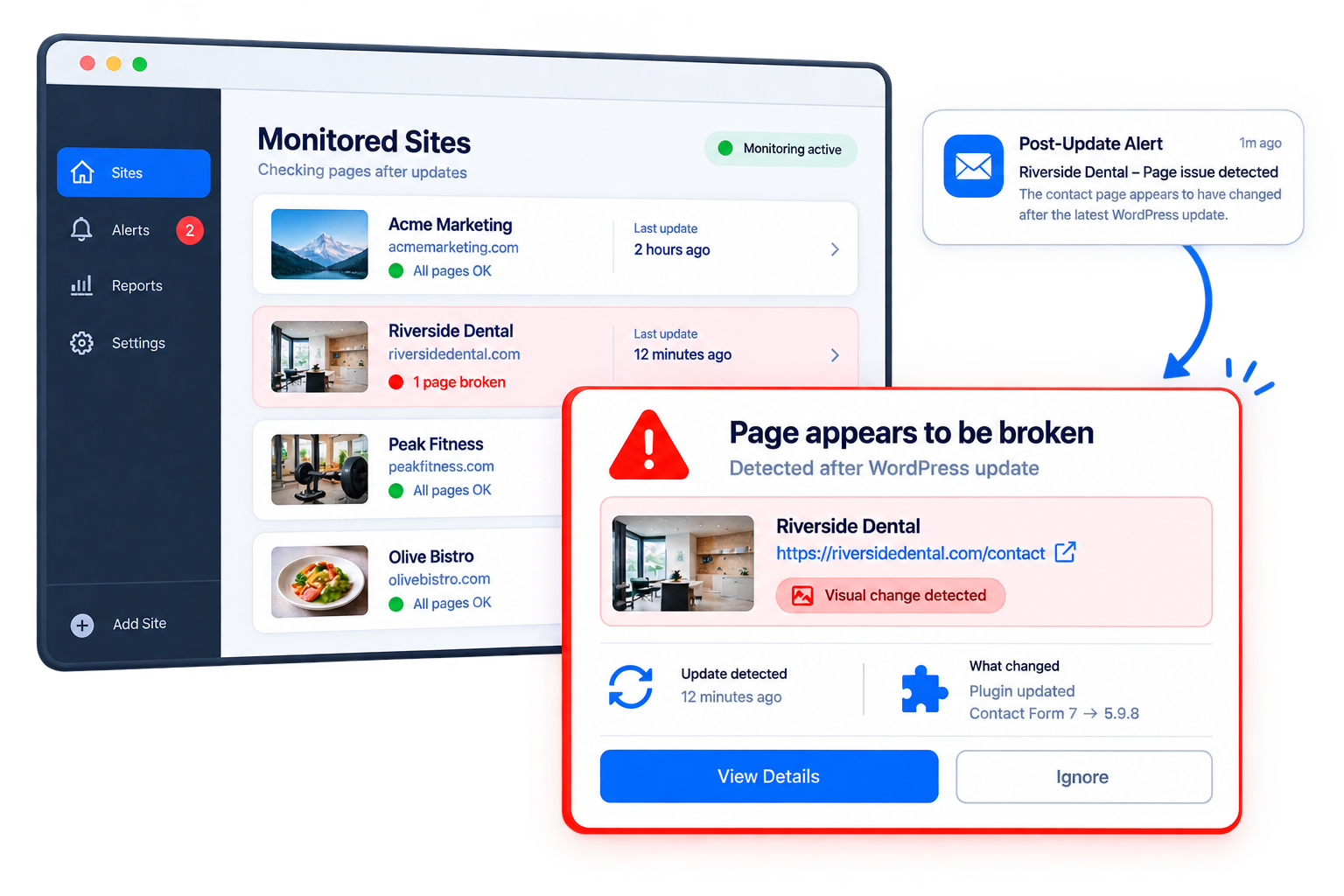
Post-update checks are easy to miss
Routine WordPress updates can change an important page without making the whole site obviously unavailable
Updates can change working pages
A plugin, theme, or WordPress update can introduce problems on a page that was working before the update.
Important pages need checking
After updates, you may need to revisit important client pages to see whether anything has changed or broken.
Checking every site adds up
When you maintain multiple client sites, repeating those checks after updates becomes another maintenance task.
Know when a monitored page needs attention
Reduce the need to manually revisit every monitored page after an update
Catch problems after updates
Receive an email when a monitored page appears to have an HTTP or visual problem after an update.
Focus on pages that matter
Monitor the important client pages you want checked instead of treating every page on every site the same.
Make post-update checks predictable
Have the same selected pages checked after updates, rather than relying entirely on manual follow-up.
Post-update checking, without the extra routine
Select the pages that matter and let the service check them after WordPress updates
Choose monitored pages
Select important pages on the WordPress sites you manage.
An update happens
When a monitored site completes updates, the selected pages are checked.
Get an alert if something is wrong
If a page appears to have an HTTP or visual problem, you receive an email alert.
Pricing
Post-Update Alerts
$19/ month
+ taxes where applicable
- Monitor selected client pages after WordPress updates
- Check for HTTP or visual failures
- Receive email alerts when a problem is detected
Frequently Asked Questions
How is this different from uptime monitoring?
Uptime monitoring can detect that a site is unavailable. This tool focuses specifically on checking selected pages after WordPress updates, including visual problems.
Does this replace staging or manual QA?
No. This is a focused post-update alert layer, not comprehensive WordPress QA, staging, backups, or rollback.
I already use a WordPress management tool. Why would I need this?
The proposed service is intentionally focused on post-update page alerts rather than replacing a broader WordPress management workflow.